
Overview
We have added support for pushing optimisation outcomes directly to Google Ads in real time, enabling faster execution of recommendations and reducing the need for manual updates inside Google Ads.
Key Capabilities
- View Optimisation Details
For each campaign, users can view detailed insights about the suggested optimisation outcomes including:- Entity Type
- Entity ID
- Old Value
- New Value
- Push Updates in Real Time
From the optimisation request history screen, users can:- Push the suggested optimisation outcome for an individual campaign, or
- Push all campaign optimisation updates in bulk.
- Instant Notifications
Users will receive real-time notifications once updates are successfully pushed to Google Ads.
Supported Campaign Types
- For video campaigns, due to current Google Ads API limitations, users must continue to use the Optimiser Output File (Google Ads Editor compatible CSV) to apply updates.
- For all other campaign types including search, display, discovery, and others, users can push updates directly to Google Ads using the new real-time push workflow.
Benefits
- Faster adoption of optimisation recommendations
- Reduced manual effort in Google Ads
- Transparent view of configuration changes and their impact
- Ability to push updates in bulk across campaigns
Getting Started
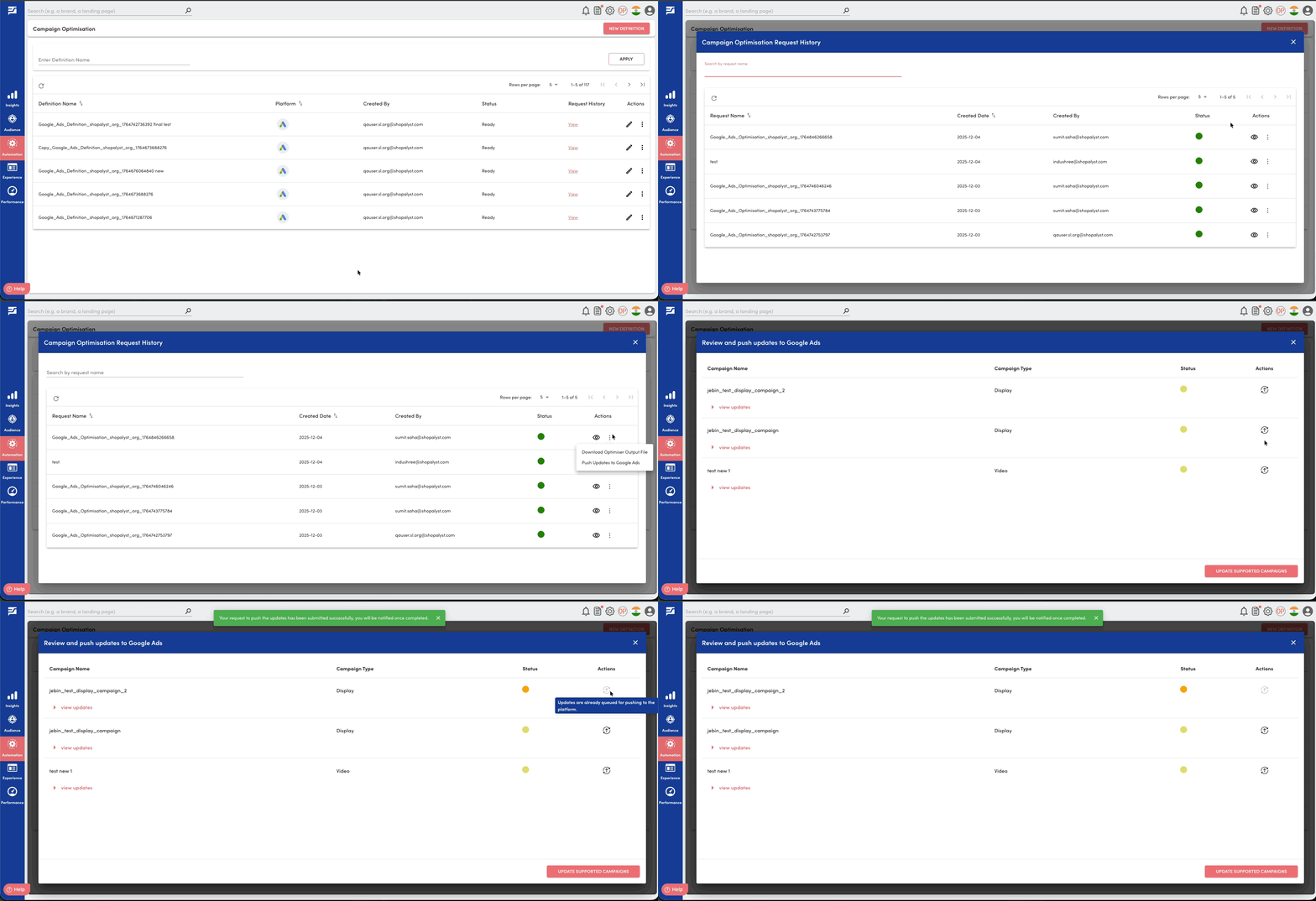
- Navigate to Automation → Campaign Optimisation → Request History.
- Click Push Updates to Google Ads against your intended request.
- Review the list of suggested optimisation outcomes.
- Choose to Push Updates against individual campaign or Update Supported Campaigns across all campaigns.
- Receive confirmation as a notification once the updates are applied in Google Ads.
Know More
Learn more about how rule-based optimisation works in the following guides: