Creative Studio
Print
Modified on: Thu, 23 Apr, 2026 at 11:11 AM
Creative Studio is a centralized module within the Super App that brings together the entire creative workflow in one place. It allows teams to create, organize, configure, and update creatives across platforms and formats in a much simpler and more structured way.
Instead of relying on multiple tools and manual coordination, everything can now be managed within a single system, making the process smoother and easier to scale.
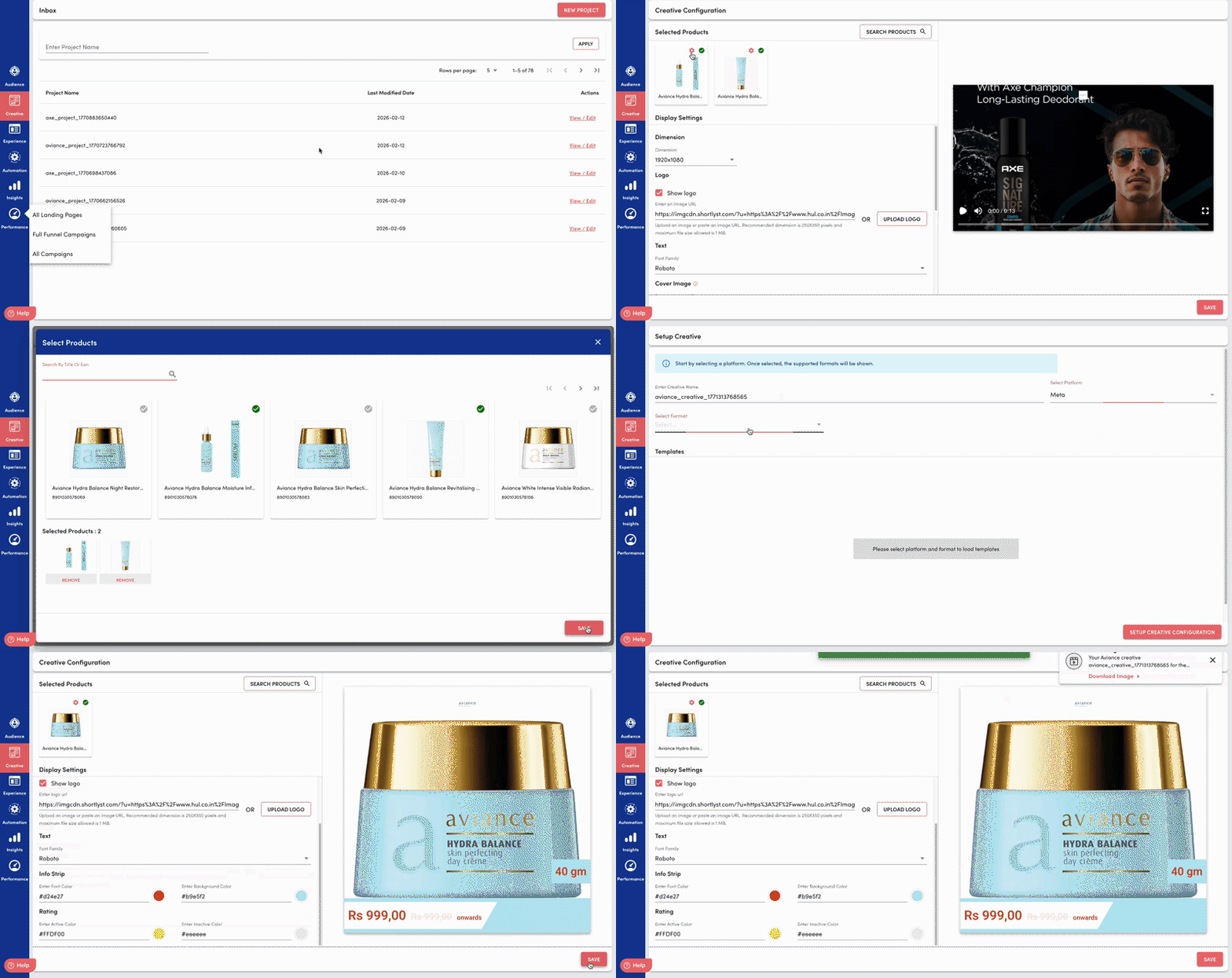
What Does the Shopalyst Creative Studio Do?
1. Centralized Creative Management
All creative work is handled in one place, making it easier to manage, track, and update creatives without switching between tools.
2. Project-Based Organization
Creatives are grouped into Projects based on campaigns or goals (like Monsoon Sale or Spring Collection). This helps keep everything organized and easy to find.
3. Guided Template Selection
Once a platform and format are selected, the system shows only the templates that fit those requirements. This helps avoid confusion and ensures everything is set up correctly.
4. Dynamic Creative Configuration
The setup changes based on the type of creative (image, video, etc.), so users only see the options that matter. This keeps the process simple and avoids unnecessary steps.
5. Creative Listing & Iteration
Each project has a clear view of all creatives, where users can easily create new ones, make edits, and update existing versions — all in one place.
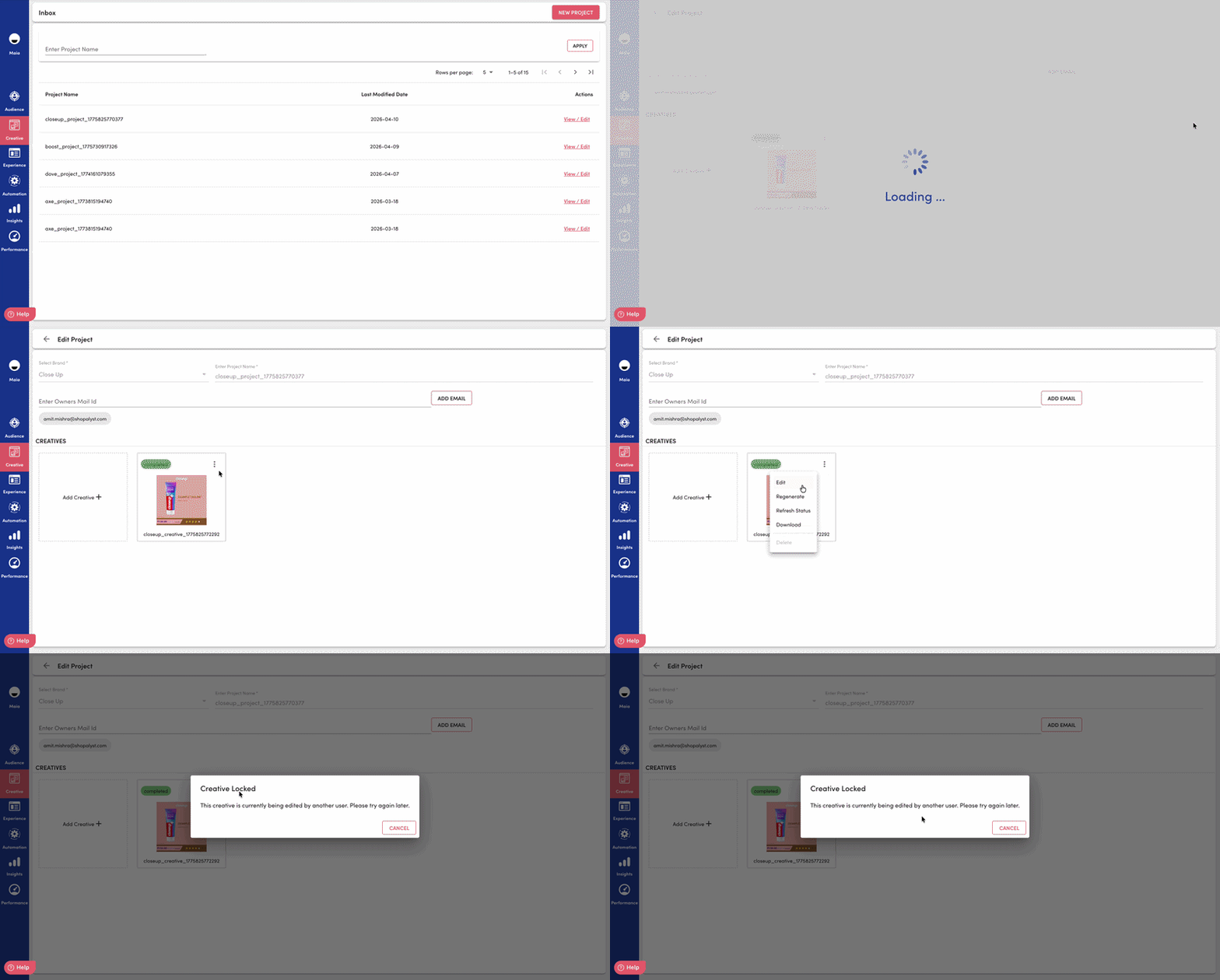
6. Smooth Collaboration with Creative Locking
To make sure teams don’t accidentally overwrite each other’s work, Creative Studio manages how edits happen when multiple people are involved.
Only one person can edit a creative at a time
Others can see when a creative is already being edited
The system understands different sessions (even for the same user)
Locks automatically expire after 24-hour soft expiry, so work doesn’t get stuck
Changes are saved only when the correct editing session is active
This helps keep everything consistent and avoids confusion during edits.
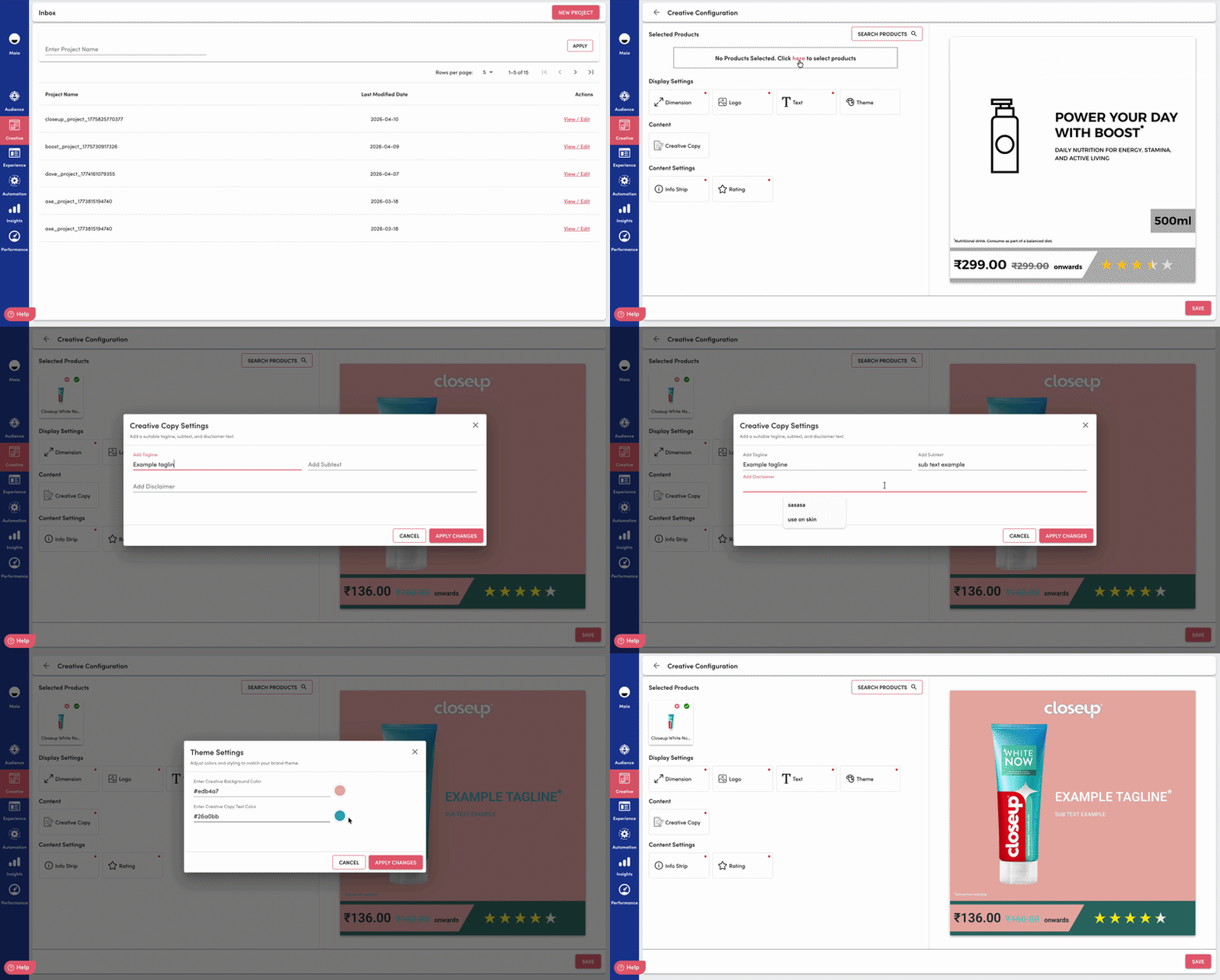
7. Structured Text Inputs
Creatives include dedicated fields for key text elements such as tagline, subtext, and disclaimer. This helps maintain a clear content structure and ensures consistency across all creatives.
8. Template-Aware Text Rendering
Text is automatically adjusted based on the selected template — including font size, spacing, and placement. This ensures that text fits well within the design, avoids overlap with visuals, and stays consistent across platforms.
 To know more about creative builder reach out to our support team. Instructions to reach out to support are here.
Did you find it helpful?
Yes
No
Send feedback Sorry we couldn't be helpful. Help us improve this article with your feedback.
