
Overview
We’re excited to introduce Batch SDF Generation for DV360 campaigns, making it easier than ever to create and deploy multiple campaigns at scale.
With this enhancement, if your media plans result in multiple DV360 campaigns, you can generate a single set of SDF files containing them and upload them directly through the DV360 dashboard, significantly simplifying bulk campaign creation workflows.
What’s New
- Generate SDFs for Multiple Campaigns: Create bulk SDF files containing multiple campaigns from a single media plan upload request.
- Support for All SDF Entity Types: Generated batch files include the required DV360 SDF files such as Campaign SDF, Insertion Order SDF, Line Item SDF, AdGroup SDF, AdGroup Ad SDF
- Direct Access from Upload Workflow: Once the publish process is completed, users can download the generated batch SDF files directly from the media plan upload page.
- Email Notifications: Users will receive an email notification containing a link to the upload request for quick access.
Benefits
- Simplifies creation of multiple DV360 campaigns in a single workflow
- Reduces repetitive SDF generation and download steps
- Enables faster campaign onboarding through bulk uploads
- Improves operational efficiency for large-scale campaign execution
Getting Started
- Create a media plan input file containing one or more DV360 campaigns
- Submit the media upload request as usual
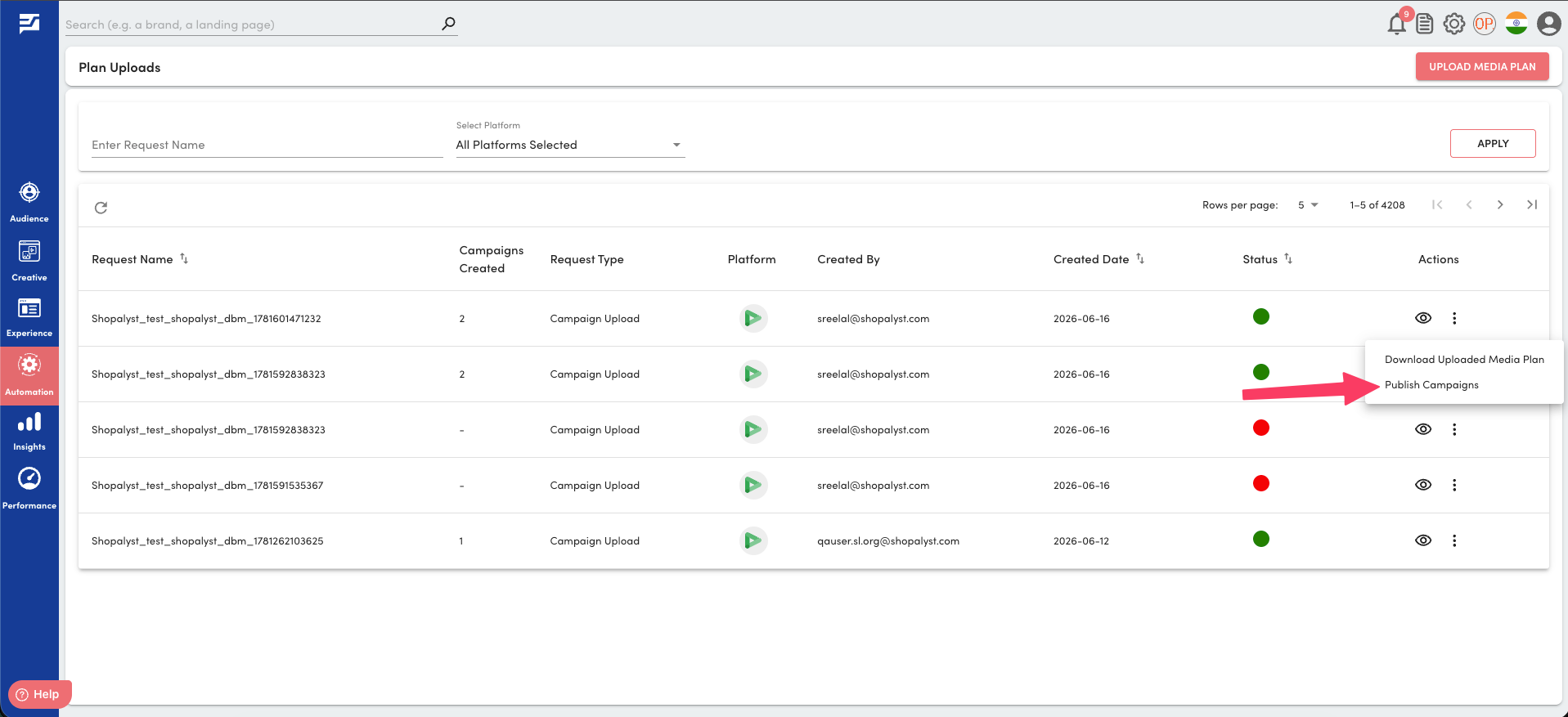
- Once processing is complete, click Publish Campaigns from the dropdown against the upload request on the Media Plan Uploads page
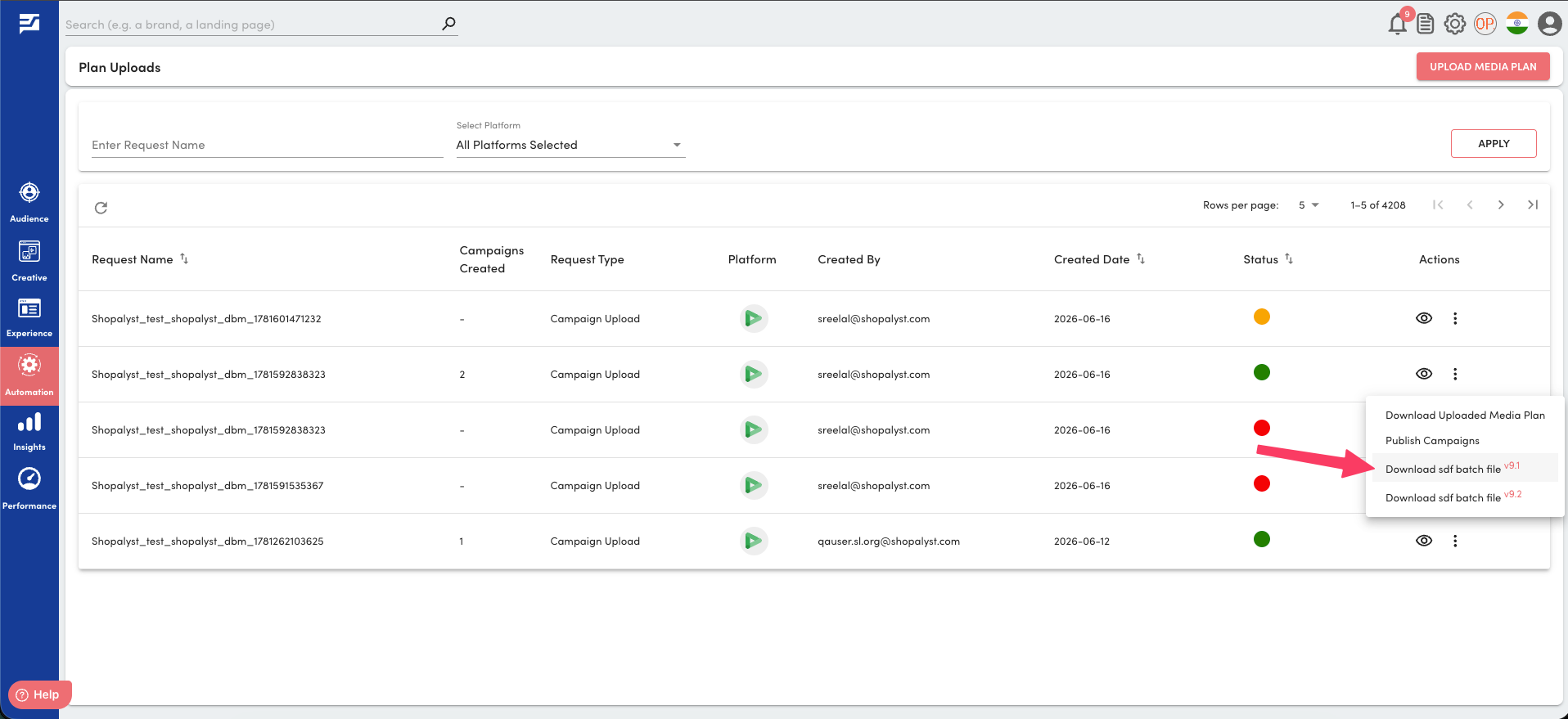
- After the publish process completes successfully, click Download SDF Batch File v{Your SDF Version} to download the generated SDF package
- Upload the downloaded SDF files through the DV360 dashboard to create the campaigns
Know More
Click here to know more about DV360 bulk campaign upload.